 Rasel Mail
Find your starting point
A practical map of the services and this help center.
Editorial update: October 30, 2026In this guide
What do you want to do?
| Your goal | Start with |
|---|---|
| Everyday sending and receiving | Create an account and a permanent mailbox |
| Email on a domain you own | A paid plan, followed by domain setup |
| An address for short-lived receiving | Temporary mail without creating an account |
| Send confirmations from your website or store | The website-email guide |
| Read a mailbox from another application | The read-only OAuth integration |
Where each task belongs
- Use the mail workspace for reading, replying, search and folders.
- Use Control Panel for your account, domains, team and subscription.
- Use the profile menu for current-mailbox actions and signing out.
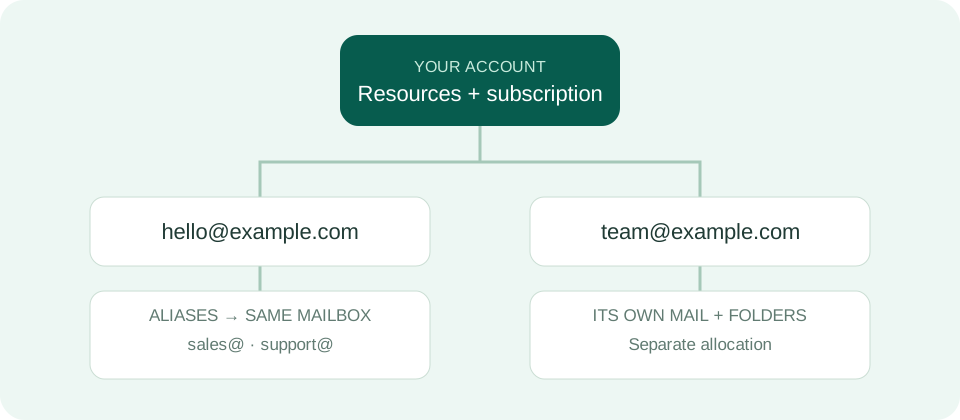
About the examples
Addresses such as hello@example.com and values beginning with YOUR_ are examples. Use the values shown in your account, especially for DNS records and application keys. These guides never ask for your password or message contents.